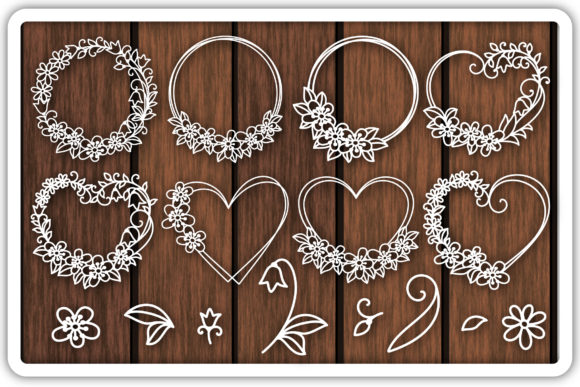
Crafting Elegant Brand Identities with Floral Wreath Templates
When building a cohesive visual language, the details make all the difference. You might have a solid color palette and a reliable sans serif font for your body text, but adding a layer of organic texture is what separates a generic layout from a memorable brand experience. This is where high-quality design assets come into play. Specifically, the Floral Wreath Cutting Templates offer a versatile solution for anyone looking to inject natural elegance into their work without the hassle of complex illustration. These aren't just static images; they are structured, customizable vectors designed to integrate seamlessly into modern typography and layout compositions.
The Anatomy of the Asset: More Than Just Flowers
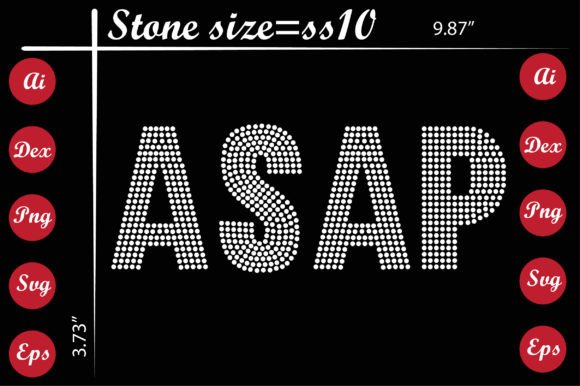
At first glance, you see botanical beauty. But from a technical perspective, the value lies in the file structure and the "Flowers and YOU GET Graphics" bundle's adaptability. The collection includes specific formats—SVG, DXF, EPS, and PNG—which ensures you are covered regardless of your production method. For digital designers, the vector formats (SVG and EPS) allow for infinite scaling without pixelation, making them perfect for large-format printing or detailed web graphics. For physical production, the inclusion of DXF files makes this compatible with virtually any cutting machine on the market.
The visual style of these wreaths leans toward a balance of intricate detail and clear lines. Unlike overly complex illustrations that turn into a "blob" when scaled down, these templates maintain their structural integrity. The "1 full file" options provide a complete composition, perfect for a hero image on a website, while the "8 individual files" allow for modular creativity. You can deconstruct the wreaths to use single stems or clusters as accent marks in editorial design or as subtle watermarks in the background of a presentation.
Strategic Applications for Branding and Marketing
Understanding where to deploy these assets is just as important as having them. The personality of the Floral Wreath Cutting Templates is inherently romantic, organic, and artisanal. This makes them a natural fit for specific industries, but with the right context, they can surprise you.
Consider the following practical applications:
- Packaging Design: If you are a small business owner selling candles, soaps, or baked goods, these wreaths can frame your logo on the product label. Using the SVG files ensures your print vendor gets a crisp edge every time.
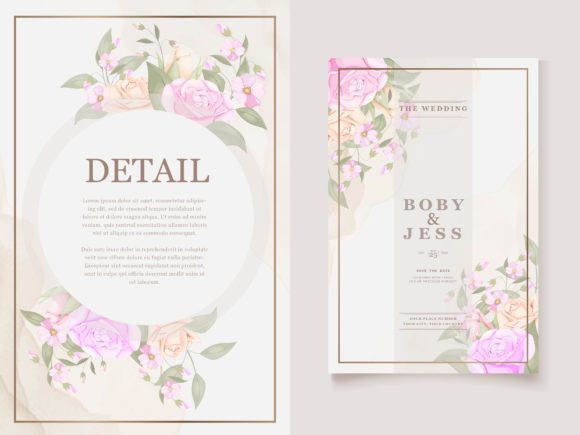
- Wedding Stationery: For graphic designers in the event space, the individual flower elements allow you to create custom monograms. You can place initials inside the negative space of the wreath for a classic, high-end look.
- Digital Branding: In web design, these assets can be used to create "hero" sections for lifestyle blogs or wellness websites. They work exceptionally well as semi-transparent overlays behind text, provided the contrast is managed correctly.
- Merchandise: Because the files are optimized for cutting machines, crafters can use the DXF files to create iron-on vinyl decals, stencils for wood signs, or paper cut-outs for scrapbooking and card making.
Technical Considerations and File Compatibility
The usability of a design asset is defined by how easily it fits into your workflow. The provider has packed these into zip archives, which is standard for transferring high-resolution data. You will need to extract these zip files before use. Once unpacked, the workflow diverges based on your software.
If you are using Adobe Illustrator or Affinity Designer, the EPS files are your best bet. They maintain vector paths and are generally easier to edit regarding node manipulation. If you are working strictly in a cutting environment like Cricut Design Space or Silhouette Studio, the SVG and DXF files are the industry standards. It is worth noting that while these are designed to be compatible, you should always verify that your specific machine firmware and software version support these formats. A quick test cut on scrap material is always a recommended step before committing to expensive vinyl or cardstock.
For those needing raster images—perhaps for a quick mockup in Photoshop or a social media post—the PNG files are included at 300dpi. This resolution is critical. It ensures that if you print these flowers on physical paper, the edges remain sharp rather than jagged. The black colorway of the PNGs makes them easy to select and recolor using simple blending modes in your design software.
Elevating Visual Hierarchy with Organic Elements
One of the most effective ways to use the Floral Wreath Cutting Templates is to influence visual hierarchy. In design, hierarchy guides the viewer's eye to the most important information first. A bold headline catches attention, but a floral frame around a key piece of information—like a price, a date, or a call to action—creates a focal point that feels intentional.
Furthermore, these graphics help soften the often rigid grid structures of modern web and print design. A sharp, geometric sans serif font can feel corporate and cold. Pairing that same font with a soft, organic floral frame creates a contrast that is visually interesting and emotionally engaging. It tells the audience that the brand is professional (clean typography) but approachable (natural elements).
Final Thoughts on Workflow and Creativity
The true value of this collection lies in its flexibility. Whether you are a hobbyist making greeting cards for friends or a marketing professional designing a seasonal campaign, the ability to mix and match the individual flower elements with the full wreaths provides endless variation. Don't be afraid to crop the wreaths in half to create a border for a menu, or stack two wreaths to create a "ceiling" and "floor" for a block of text.
As you integrate these assets into your projects, remember that restraint is often key. While it is tempting to use every element at once, the most sophisticated designs usually let the typography breathe. Use the Floral Wreath Cutting Templates to enhance your message, not overpower it. Be sure to check back frequently, as new high-quality designs are constantly being added to help you keep your creative toolkit fresh and relevant.